
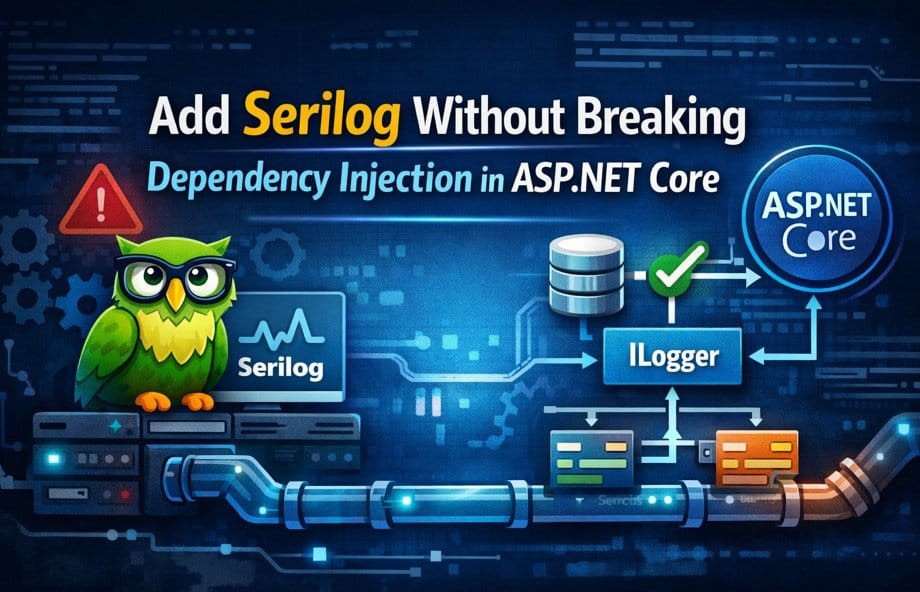
This diagram shows how Serilog integrates safely with ASP.NET Core’s logging pipeline without bypassing dependency injection.
Introduction
Add Serilog without breaking dependency injection, Serilog is widely used in ASP.NET Core applications because it provides structured logging, rich diagnostics, and flexible sinks for files, databases, and observability platforms. For many teams, adding Serilog feels like a natural step once applications grow beyond basic console logging.
However, Serilog is also one of the most commonly misconfigured libraries in real-world .NET projects.
Many developers add Serilog in a hurry and unknowingly:
- Break Dependency Injection
- Bypass the built-in logging abstraction
- Lose logs during application startup
- Create inconsistent behavior across environments
- Make testing and maintenance harder
This article explains how to add Serilog correctly without breaking DI, why common approaches fail, and how senior developers integrate logging in production-grade ASP.NET Core applications.
Why Dependency Injection Matters for Logging
ASP.NET Core is built around Dependency Injection. Logging is not an exception—it is a core part of the DI pipeline.
When logging works correctly:
- Services receive
ILogger<T>automatically - Log scopes flow across requests
- Logging configuration remains centralized
- You can swap logging providers without changing business code
When logging breaks DI:
- Some services stop logging
- Logs appear in some places but not others
- Startup failures become hard to diagnose
- The application becomes tightly coupled to a specific logger
The goal is simple:
Serilog must integrate into ASP.NET Core’s logging system, not bypass it.
Why Serilog Integration Often Goes Wrong
Most DI issues with Serilog come from misunderstanding where logging belongs in the application lifecycle.
Common incorrect assumptions include:
- Logging should be configured manually
- Static loggers are easier and faster
- DI is optional for logging
- Serilog should replace ASP.NET Core logging
In reality, Serilog works best when it plugs into the existing logging pipeline rather than replacing it.
The Most Common Mistake: Using Static Loggers Everywhere
Many developers start with this pattern:
Log.Logger = new LoggerConfiguration()
    .WriteTo.Console()
    .CreateLogger();
And then use:
Log.Information("Something happened");
At first, this seems to work. But this approach introduces serious problems.
Why this breaks DI
ILogger<T>is no longer the primary logging path- You now have two logging systems
- Scoped logging and enrichers stop working correctly
- Unit tests become harder to write
- Configuration becomes scattered
Static logging creates tight coupling between your application code and Serilog.
How ASP.NET Core Expects Logging to Work
ASP.NET Core provides:
- A logging abstraction (
ILogger) - Centralized configuration
- Lifecycle-aware logging
- Scope and context propagation
The framework expects:
- Logging providers to be registered on the host
- Application code to depend only on
ILogger<T> - Logging configuration to be environment-aware
Serilog fully supports this model—but only if you integrate it correctly.
The Correct, DI-Safe Way to Add Serilog
The correct approach is to configure Serilog at the host level, not inside controllers, services, or static helpers.
Minimal Hosting Model (Recommended)
using Serilog;

var builder = WebApplication.CreateBuilder(args);

builder.Host.UseSerilog((context, services, loggerConfig) =>
{
    loggerConfig
        .ReadFrom.Configuration(context.Configuration)
        .ReadFrom.Services(services)
        .Enrich.FromLogContext()
        .WriteTo.Console();
});

builder.Services.AddControllers();

var app = builder.Build();

app.MapControllers();
app.Run();
This integration ensures:
- ASP.NET Core owns the logging lifecycle
- Dependency Injection remains intact
ILogger<T>works everywhere- Configuration is centralized
This is the production-safe approach.
Why UseSerilog() Is Critical
UseSerilog() tells ASP.NET Core:
- “Use Serilog as the logging provider”
- “Route all
ILogger<T>calls through Serilog” - “Respect DI lifetimes and scopes”
Without it:
- Logs may partially work
- Startup logs may be missing
- Behavior may differ per environment
If Serilog is not registered on the host, DI and logging drift apart.
The Importance of ReadFrom.Services()
This line is often skipped:
.ReadFrom.Services(services)
Skipping it causes subtle issues.
What this line enables
- DI-based enrichers
- Scoped logging context
- Access to registered services
- Proper lifetime management
Without it, Serilog operates outside the DI container, which can cause runtime issues when logging depends on scoped data like request IDs or user context.
Using ILogger<T> the Right Way
Once Serilog is integrated correctly, application code should never depend on Serilog directly.
Correct pattern
public class PaymentService
{
    private readonly ILogger<PaymentService> _logger;

    public PaymentService(ILogger<PaymentService> logger)
    {
        _logger = logger;
    }

    public void Process()
    {
        _logger.LogInformation("Payment processing started");
    }
}
This approach:
- Keeps code framework-agnostic
- Makes unit testing simple
- Allows future logging changes without refactoring
Serilog remains an implementation detail.
Why Injecting Serilog Types Is a Bad Idea
Injecting ILogger from Serilog or using Log directly:
- Couples your code to a specific library
- Makes migration difficult
- Breaks clean architecture principles
Senior developers always depend on abstractions, not implementations.
Configuration via appsettings.json (Best Practice)
Logging configuration should live in configuration files, not code.
{
  "Serilog": {
    "MinimumLevel": {
      "Default": "Information",
      "Override": {
        "Microsoft": "Warning",
        "System": "Warning"
      }
    },
    "WriteTo": [
      { "Name": "Console" }
    ],
    "Enrich": [ "FromLogContext" ]
  }
}
Why this matters
- Different environments need different logging levels
- Production logging should not require code changes
- Operations teams can tune logging safely
Hardcoding logging behavior is a long-term maintenance problem.
Logging During Application Startup (Safely)
Startup logging is a common pain point.
Problems occur when:
- Logging tries to resolve scoped services too early
- Static loggers run before DI is ready
- Exceptions occur before logging is fully configured
By configuring Serilog at the host level, startup logs:
- Flow naturally
- Respect lifecycle timing
- Remain consistent across environments
No hacks required.
Common DI Problems and Their Root Causes
ILogger<T> resolves but logs do not appear
Usually caused by:
- Missing
UseSerilog() - Multiple logging providers
- Mixed static and DI logging
Logs appear in services but not in controllers
Often caused by:
- Partial Serilog configuration
- Environment-specific overrides
- Incorrect minimum log levels
Application crashes on startup after adding Serilog
Common causes include:
- Logging code resolving scoped services too early
- Incorrect sink configuration
- Misplaced Serilog setup code
Most of these issues disappear when Serilog is configured correctly on the host.
How This Topic Appears in Interviews
Interview question:
“How do you add Serilog without breaking Dependency Injection?”
Strong answer:
Integrate Serilog at the host level using
UseSerilog, rely exclusively onILogger<T>in application code, avoid static loggers, and configure sinks through configuration files. This preserves DI, logging scopes, and application stability.
This answer signals real production experience.
Best Practices Summary
- Configure Serilog on the host
- Never use static logging in business logic
- Always inject
ILogger<T> - Centralize logging configuration
- Let DI manage lifetimes
- Treat logging as infrastructure, not application code
Frequently Asked Questions (FAQ)
Should I use Serilog directly or always use ILogger<T>?
You should always inject ILogger<T> in your application code, even when using Serilog.
ILogger<T> is the abstraction provided by ASP.NET Core. Serilog becomes just the logging provider behind the scenes. This keeps your code:
- Decoupled from Serilog
- Easier to test
- Safer to refactor in the future
Using Serilog types or static Log calls directly tightly couples your code to a specific logging library, which is not recommended in production systems.
Can Serilog break Dependency Injection?
Serilog itself does not break DI.
Incorrect integration does.
DI issues usually occur when:
- Serilog is configured manually using static loggers
UseSerilog()is not applied at the host level- Logging is initialized before the DI container is ready
When Serilog is integrated through the ASP.NET Core host, DI remains stable and predictable.
Is it okay to use Log.Information() anywhere?
Using Log.Information() is acceptable only in very limited scenarios, such as:
- Early bootstrap logging
- Temporary diagnostics in
Program.cs
It should never be used inside controllers, services, or business logic. Application code should rely exclusively on ILogger<T> to avoid tight coupling and lifetime issues.
Why do my logs disappear after adding Serilog?
This usually happens because:
UseSerilog()was not configured- Minimum log level is too high
- Multiple logging providers are competing
- Environment-specific configuration overrides are incorrect
Register Serilog as the primary logging provider through the host, and verify log levels for each environment.
Do I need both Microsoft.Extensions.Logging and Serilog?
Yes—and that’s intentional.
Microsoft.Extensions.Loggingprovides the abstraction- Serilog provides the implementation
Never remove the abstraction. ASP.NET Core expects logging providers to plug into it, not replace it.
Should Serilog configuration live in code or appsettings.json?
Best practice is to keep most configuration in appsettings.json.
This allows:
- Environment-specific tuning
- Log level changes without redeploying
- Cleaner startup code
Only minimal wiring should exist in Program.cs.
Can I use Serilog enrichers that depend on scoped services?
Yes—but only if you use:
.ReadFrom.Services(services)
This allows Serilog to resolve DI-based enrichers safely. Without it, enrichers that rely on scoped services (like request context) may fail or behave unpredictably.
Is Serilog safe to use in high-traffic applications?
Yes, Serilog is widely used in high-scale production systems.
However:
- Sink choice matters (file vs async vs remote)
- Log levels must be tuned carefully
- Excessive logging can still hurt performance
Structured logging should be intentional, not noisy.
How does Serilog behave during application startup?
If configured at the host level, Serilog:
- Logs startup messages correctly
- Respects lifecycle timing
- Works consistently across environments
Startup logging issues usually appear when logging is initialized too early or when static loggers are used before DI is ready.
What is the biggest mistake developers make with Serilog?
The most common mistake is treating Serilog as an application dependency instead of infrastructure.
Logging should:
- Live at the edges of the system
- Be abstracted
- Be centrally configured
Once logging leaks into business logic, maintenance and testing become harder.
Is this topic important for senior .NET interviews?
Yes—very much.
Interviewers ask about Serilog and DI to evaluate:
- Architectural thinking
- Understanding of abstractions
- Real-world production experience
A senior-level answer focuses on integration strategy, not syntax.
Final FAQ Takeaway
- Serilog should integrate into ASP.NET Core, not bypass it
ILogger<T>is always the correct dependency- Logging is infrastructure, not business logic
Final Verdict
Serilog is powerful—but only when integrated correctly.
When added casually, it can:
- Break Dependency Injection
- Create inconsistent logging
- Complicate testing and maintenance
When added correctly:
- DI remains stable
- Logs are consistent
- Configuration stays flexible
- Applications scale cleanly
The guiding principle is simple:
Let ASP.NET Core own the logging pipeline.
Let Dependency Injection manage lifetimes.
Let Serilog plug in—not take over.
Pingback: ASP.NET Core API Performance: Proven Optimization Techniques
Pingback: Caching in ASP.NET Core (In-Memory vs Distributed vs Redis) - Mika Dev Hub
Pingback: SQL Server Performance Tuning: Complete Guide with Real Examples