
Introduction
If your application is slow, users are frustrated, and CPU usage is constantly high — the real issue is often your database.
SQL Server Performance Tuning is one of the most critical skills for backend developers, DBAs, and architects. Whether you’re working on enterprise healthcare systems, booking platforms, finance apps, or warehouse management systems, performance tuning directly impacts scalability and user experience.
In this complete guide, you will learn:
- What SQL Server performance tuning actually means
- How SQL Server executes queries
- Common performance mistakes
- Indexing strategy (Clustered vs Non-Clustered)
- Execution plan analysis
- Query optimization techniques
- Stored procedure tuning
- Monitoring tools
- Real-world performance example
Let’s dive deep.
1. What is SQL Server Performance Tuning?
SQL Server performance tuning is the process of optimizing database queries and configurations to:
- Reduce query execution time
- Minimize CPU consumption
- Reduce IO reads
- Improve concurrency
- Handle high traffic efficiently
It is NOT just:
- Adding random indexes
- Increasing server RAM
- Restarting SQL Server
Performance tuning requires understanding how SQL Server internally processes queries.
2. How SQL Server Executes a Query
Whenever you execute a query:
SELECT * FROM Orders WHERE CustomerId = 101;
SQL Server follows these steps:
- Query Parsing
- Query Optimization
- Execution Plan Generation
- Data Retrieval
- Result Return
The most important part is:
🔥 Execution Plan
If the execution plan is inefficient, performance will suffer regardless of hardware.
3. Common SQL Server Performance Problems
3.1 Missing Indexes
If a large table doesn’t have proper indexes, SQL Server performs a Table Scan, which reads every row.
3.2 Using SELECT *
SELECT * FROM Orders;
This retrieves unnecessary columns, increasing IO and memory usage.
3.3 Functions in WHERE Clause
WHERE YEAR(OrderDate) = 2025;
This prevents index usage because SQL Server must evaluate the function for every row.
3.4 Parameter Sniffing
Stored procedures may perform well for one parameter but poorly for another.
3.5 Too Many Indexes
While indexes speed up SELECT queries, they slow down INSERT, UPDATE, DELETE operations.
4. Understanding Indexing Strategy (Most Critical Section)
4.1 Clustered Index
- Defines physical data order
- Only ONE per table
- Usually created on Primary Key
Example:
CREATE CLUSTERED INDEX IX_Orders_Id ON Orders(Id);
Best used for:
- Primary keys
- Range-based queries
- Frequently sorted columns
4.2 Non-Clustered Index
- Stores index separately from data
- Multiple allowed per table
Example:
CREATE NONCLUSTERED INDEX IX_Orders_CustomerId
ON Orders(CustomerId);
Example: Before Adding Index
Query:
SELECT * FROM Orders WHERE CustomerId = 101;
Execution Plan:
- Table Scan
- 1,000,000 rows scanned
IO Output:
Logical Reads: 12000
After Adding Index
CREATE NONCLUSTERED INDEX IX_Orders_CustomerId
ON Orders(CustomerId);
Execution Plan:
- Index Seek
IO Output:
Logical Reads: 15
🚀 Massive performance improvement.
5. Execution Plan Analysis
Enable statistics:
SET STATISTICS IO ON;
SET STATISTICS TIME ON;
In SSMS, enable:
- Actual Execution Plan
Look for:
- ❌ Table Scan
- ⚠ Index Scan
- ✅ Index Seek
- ⚠ Key Lookup
- ⚠ Hash Match
- ⚠ Sort
5.1 Key Lookup Problem
If execution plan shows:
Index Seek + Key Lookup
It means SQL Server finds rows using index but must fetch remaining columns from clustered index.
Solution: Covering Index
CREATE NONCLUSTERED INDEX IX_Orders_CustomerId
ON Orders(CustomerId)
INCLUDE (OrderDate, TotalAmount);
Now no lookup required.
6. Query Optimization Best Practices
6.1 Avoid SELECT *
Bad:
SELECT * FROM Orders;
Good:
SELECT Id, OrderDate, TotalAmount FROM Orders;
6.2 Avoid Functions in WHERE
Bad:
WHERE YEAR(OrderDate) = 2025;
Good:
WHERE OrderDate >= '2025-01-01'
AND OrderDate < '2026-01-01';
6.3 Use EXISTS Instead of IN (Large Data Sets)
Better performance for correlated subqueries:
SELECT *
FROM Customers c
WHERE EXISTS (
    SELECT 1 FROM Orders o
    WHERE o.CustomerId = c.Id
);
6.4 Use Proper Data Types
Wrong:
CustomerId VARCHAR(50)
Correct:
CustomerId INT
Matching data types improves index efficiency.
7. Stored Procedure Optimization
7.1 Avoid Dynamic SQL When Possible
Dynamic SQL prevents plan reuse.
7.2 Parameter Sniffing Issue
Example:
CREATE PROCEDURE GetOrders
    @CustomerId INT
AS
BEGIN
    SELECT * FROM Orders WHERE CustomerId = @CustomerId;
END
If one customer has 1 record and another has 1 million records, execution plan may not be optimal for both.
Solution:
OPTION (RECOMPILE);
Or use:
WITH RECOMPILE
8. Index Maintenance
Indexes become fragmented over time.
Check fragmentation:
SELECT *
FROM sys.dm_db_index_physical_stats
(
    DB_ID(),
    OBJECT_ID('Orders'),
    NULL,
    NULL,
    'DETAILED'
);
Rebuild:
ALTER INDEX ALL ON Orders REBUILD;
Reorganize:
ALTER INDEX ALL ON Orders REORGANIZE;
9. Monitoring Tools for Performance Tuning
- SQL Server Profiler
- Extended Events
- Query Store
- Dynamic Management Views (DMVs)
- Activity Monitor
Query Store is highly recommended in production systems to identify slow queries.
10. Real-World Performance Case Study
Problem:
- Orders table: 5 million rows
- API response time: 8 seconds
- CPU: 85%
Query:
SELECT *
FROM Orders
WHERE CustomerId = 1100;
Execution Plan:
- Table Scan
Solution Steps:
- Added Non-Clustered Index on CustomerId
- Removed SELECT *
- Created Covering Index
- Updated statistics
Result:
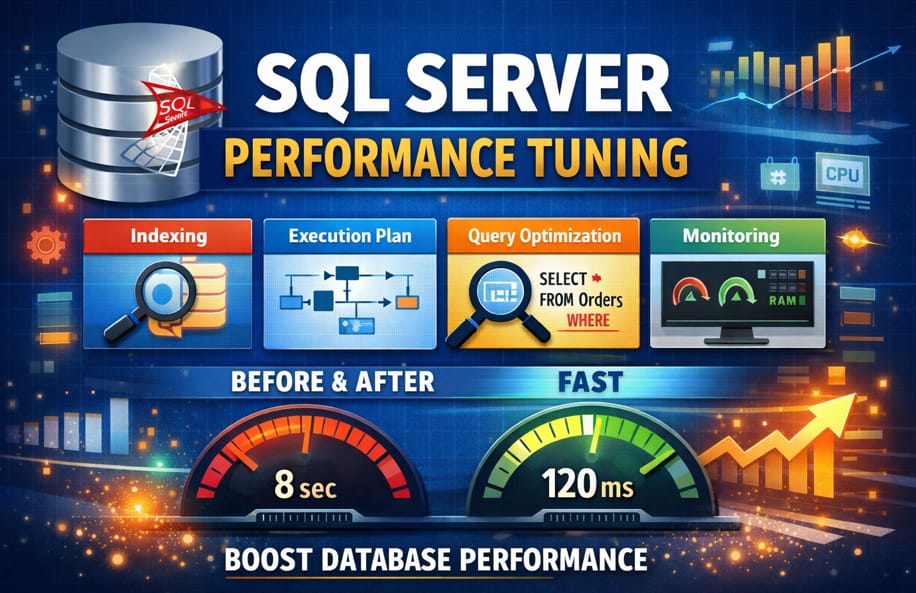
- Response time: 8 sec → 120 ms
- CPU: 85% → 30%
- Logical reads reduced by 95%
🚀 Significant improvement without increasing hardware.
11. Performance Tuning Checklist
Before blaming infrastructure, check:
✔ Proper Indexing
✔ No unnecessary SELECT *
✔ No functions in WHERE
✔ Execution plan reviewed
✔ Statistics updated
✔ Fragmentation checked
✔ Parameter sniffing handled
✔ Query Store analyzed
12. Final Thoughts
SQL Server Performance Tuning is not about quick fixes — it’s about understanding how SQL Server works internally.
The biggest mistake developers make is:
Ignoring execution plans.
If you master:
- Indexing
- Execution plans
- Query optimization
- Stored procedure tuning
You will handle high-traffic systems confidently.
✅ Frequently Asked Questions (FAQ) with SQL Examples
1️⃣ What is SQL Server performance tuning with an example?
SQL Server performance tuning means optimizing queries and indexes to reduce execution time and resource usage.
❌ Slow Query Example (Table Scan)
SELECT *
FROM Orders
WHERE CustomerId = 105;
If there is no index on CustomerId, SQL Server scans the entire table.
✅ Optimized Version (Index Seek)
CREATE NONCLUSTERED INDEX IX_Orders_CustomerId
ON Orders(CustomerId);
Now the same query:
SELECT Id, OrderDate, TotalAmount
FROM Orders
WHERE CustomerId = 105;
Uses Index Seek instead of Table Scan, dramatically improving performance.
2️⃣ How can I check query performance in SQL Server?
You can use SET STATISTICS to measure IO and time.
SET STATISTICS IO ON;
SET STATISTICS TIME ON;SELECT *
FROM Orders
WHERE CustomerId = 105;
This shows:
- Logical Reads
- CPU Time
- Execution Time
Lower logical reads = better performance.
3️⃣ Why should we avoid functions in the WHERE clause?
Using functions prevents SQL Server from using indexes efficiently.
❌ Bad Example
SELECT *
FROM Orders
WHERE YEAR(OrderDate) = 2025;
SQL Server must evaluate YEAR() for every row.
✅ Optimized Version
SELECT *
FROM Orders
WHERE OrderDate >= '2025-01-01'
AND OrderDate < '2026-01-01';
Now SQL Server can use an index on OrderDate.
4️⃣ What is the difference between Index Seek and Index Scan?
Index Seek (Efficient)
SELECT *
FROM Orders
WHERE Id = 1001;
If Id is indexed, SQL Server jumps directly to that row.
Index Scan (Less Efficient)
SELECT *
FROM Orders
WHERE TotalAmount > 1000;
If no proper index exists, SQL Server scans the index or entire table.
Index Seek is faster because it reads only required rows.
5️⃣ What is a covering index with example?
A covering index includes additional columns to avoid Key Lookup.
❌ Without Covering Index
SELECT CustomerId, OrderDate, TotalAmount
FROM Orders
WHERE CustomerId = 105;
If only CustomerId is indexed, SQL Server performs:
Index Seek + Key Lookup
✅ With Covering Index
CREATE NONCLUSTERED INDEX IX_Orders_CustomerId
ON Orders(CustomerId)
INCLUDE (OrderDate, TotalAmount);
Now SQL Server gets all data from the index itself.
No Key Lookup needed.
6️⃣ How do I fix parameter sniffing in SQL Server?
Parameter sniffing occurs when SQL Server reuses a cached execution plan that may not be optimal for different parameter values.
Example Stored Procedure
CREATE PROCEDURE GetOrders
    @CustomerId INT
AS
BEGIN
    SELECT *
    FROM Orders
    WHERE CustomerId = @CustomerId;
END
If some customers have millions of records and others have few, performance may vary.
Solution 1: OPTION (RECOMPILE)
SELECT *
FROM Orders
WHERE CustomerId = @CustomerId
OPTION (RECOMPILE);
Solution 2: WITH RECOMPILE
CREATE PROCEDURE GetOrders
    @CustomerId INT
WITH RECOMPILE
AS
BEGIN
    SELECT *
    FROM Orders
    WHERE CustomerId = @CustomerId;
END
7️⃣ How can I check index fragmentation?
Over time, indexes become fragmented and slow down performance.
SELECT *
FROM sys.dm_db_index_physical_stats
(
    DB_ID(),
    OBJECT_ID('Orders'),
    NULL,
    NULL,
    'DETAILED'
);
Fix Fragmentation
Reorganize:
ALTER INDEX ALL ON Orders REORGANIZE;
Rebuild:
ALTER INDEX ALL ON Orders REBUILD;
8️⃣ How do I find the 7th highest salary in SQL Server efficiently?
Using ROW_NUMBER():
SELECT Salary
FROM (
    SELECT Salary,
           ROW_NUMBER() OVER (ORDER BY Salary DESC) AS RowNum
    FROM Employees
) AS Ranked
WHERE RowNum = 7;
This method is efficient and avoids complex nested queries.
More Important Articles
- REST vs RESTful vs GraphQL
- Handling Large File Uploads in ASP.NET Core: Best Practices, Performance, and Security
- ASP.NET Core Swagger Not Showing – Complete Solution Guide
- Why IQueryable Is Dangerous in APIs (Real-World Risks, Examples, and Best Practices)
- Add Serilog Without Breaking Dependency Injection in ASP.NET Core
- ASP.NET Core API Performance: Proven Techniques to Build Fast, Scalable APIs